ogmini - Exploration of DFIR
Having fun while learning about and pivoting into the world of DFIR.
About Blog Posts by Tags Research Talks/Presentations GitHub Search RSS
Steam Frame - DFIR First Looks
by ogmini
I was able to get my hands on a Steam Frame and it arrived yesterday. I’m going to take a look at this device from a Digital Forensics viewpoint. This will not be a review of the unit. First things first, the Steam Frame is very open and Valve has published some good documentation for software developers at https://partner.steamgames.com/doc/steamhardware/steamframe.
Once you enable “Developer Mode” according to the instructions at https://partner.steamgames.com/doc/steamhardware/steamframe/setup, we can ssh, adb, and rdp into the headset. For today, I’ll be connecting via ssh.
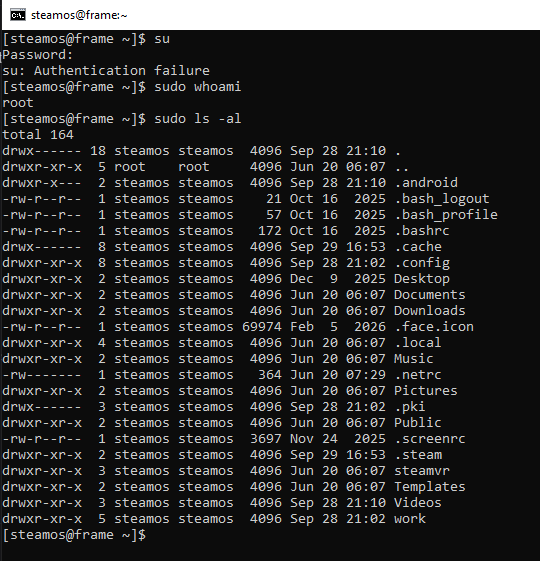
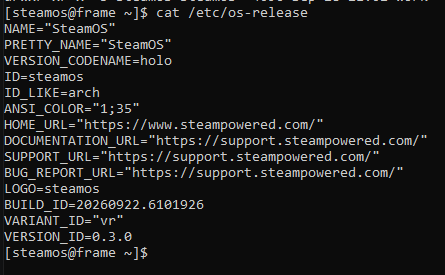
The default “steamos” user is part of the sudo group which is great! Running sudo whoami confirms we can run commands as root. Next, I run cat /etc/os-release and get the following output:
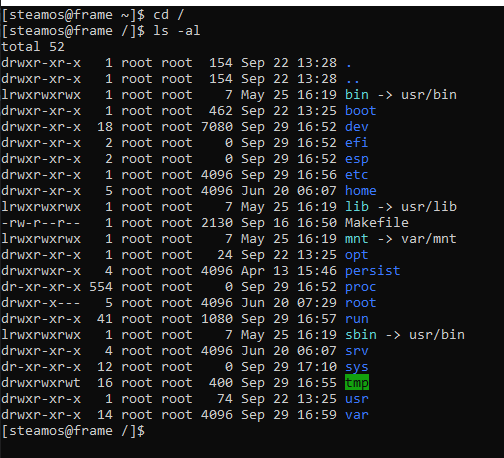
Looking at the root of the installation, we see a pretty standard looking file structure for Linux.
In future posts, I’ll start diving into the filesystem and seeing what we can find. It might be interesting to take a look at Lepton, which is used by SteamOS to containerizing Android applications. Stay tuned! No promises on the time of the next update as I’m sure I’ll be playing some games… I mean creating test evidence… yea…
tags: #Steam-Frame